Login

WhatsApp AI Agent by AiSensy

WhatsApp AI Agent for Interview Screening

Screen job applicants faster with this WhatsApp AI Agent.

The Interview Screening AI Agent asks relevant questions, collects candidate details & helps recruiters shortlist applicants, 24/7.

No coding needed!

What Your AiSensy Interview Screening AI Agent Handles

From "I'm interested in this job" to completing the initial screening, all handled inside WhatsApp

Asks Relevant Screening Questions

"How much experience do you have in sales?"

The agent asks job-specific questions about skills, experience, and qualifications based on your hiring requirements.

Collects Candidate Information

Work experience, qualifications, notice period, and job preferences. The agent collects relevant details without repeated HR follow-ups.

Checks Basic Job Requirements

"Do you have experience with CRM tools?"

The agent checks candidates' responses against your defined job criteria and identifies details that need recruiter review.

Answers Job-Related Questions

Salary range, work location, job responsibilities, and hiring process. The agent answers candidate enquiries using your approved job information.

Organises Screening Responses

The agent gathers candidate answers into a structured screening summary so recruiters can review applications more easily.

Passes Candidates to Recruiters

Once screening is complete, the agent can transfer candidate details and responses to your HR team for further review.

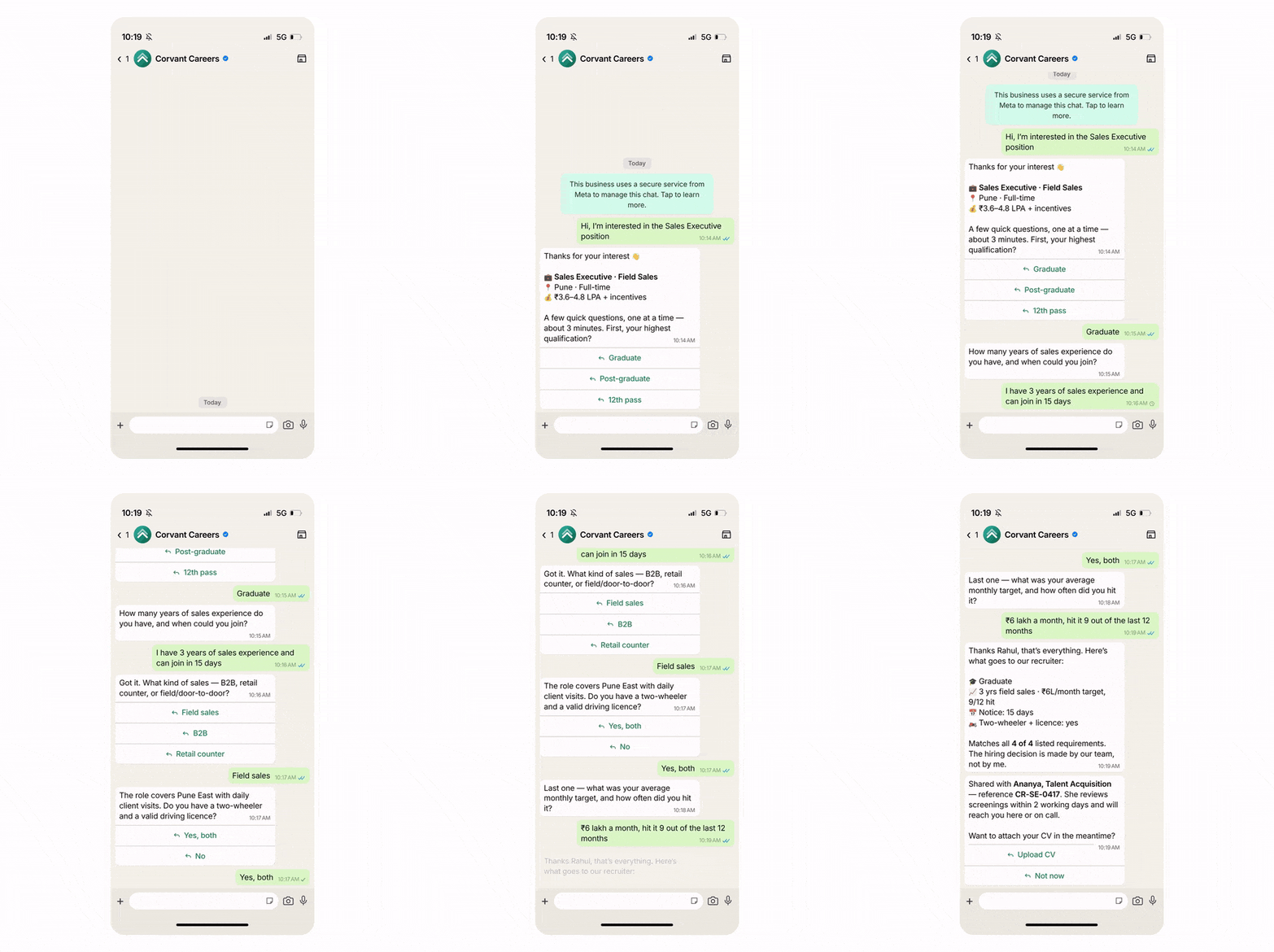
How Interview Screening Happens on WhatsApp

Here's how the AiSensy Interview Screening WhatsApp AI Agent collects candidate information, asks screening questions, and prepares applications for recruiter review.

  • Starts With a Job Enquiry

    Candidate: "Hi, I'm interested in the Sales Executive position."

    The agent identifies the job role and asks a few basic questions about the candidate's experience and qualifications to begin screening.

  • Asks Job-Specific Questions

    Based on the role, the agent asks about relevant skills, previous work experience, notice period, and other recruiter-defined requirements, one question at a time.

  • Reviews the Candidate's Responses

    Candidate: "I have 3 years of sales experience and can join in 15 days."

    The agent records these answers and checks them against the job's predefined screening criteria, without making the final hiring decision.

  • Sends Details for Recruiter Review

    Once screening is complete, the agent organises the candidate's responses and passes them to your recruitment team through the configured handoff or connected system.

  • Key Terms: How AiSensy WhatsApp AI Agent works

    A brief description on each section you'll see inside AiSensy WhatsApp AI Agent dashboard and what each one actually does.

    term_1_business_profile.png

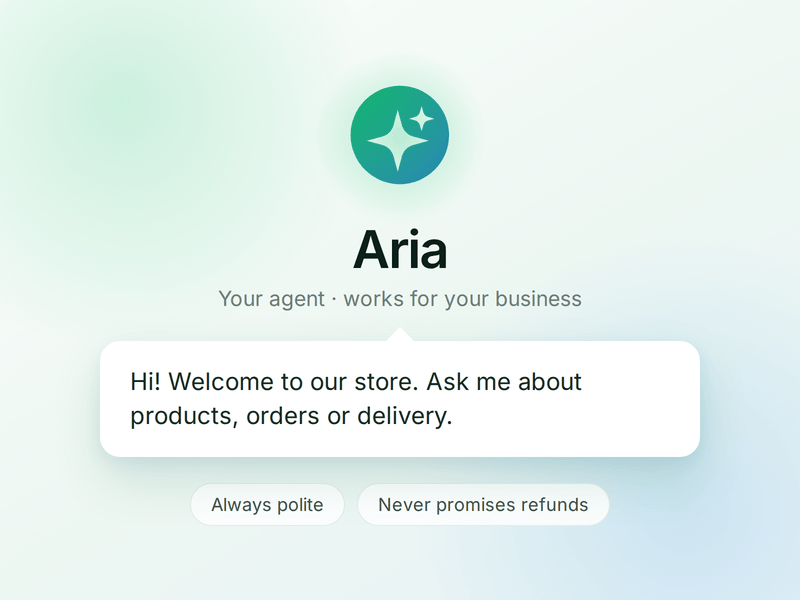
    Business Profile

    Who your agent is and who it works for. Your business details, the agent's name and greeting, and the ground rules it must always follow.

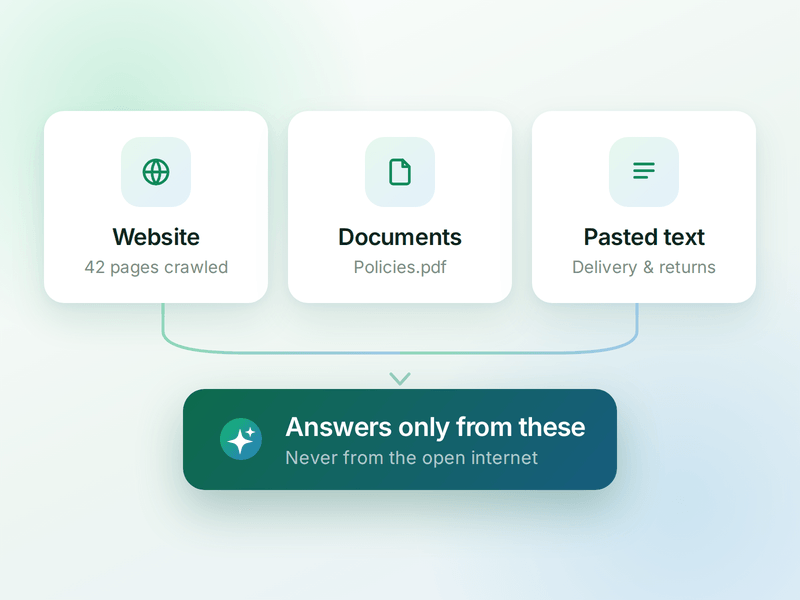
    term_2_knowledge.png

    Knowledge

    Everything your agent is allowed to know. Crawl your website, upload documents or paste text - the WhatsApp AI agent answers from these, not from the internet.

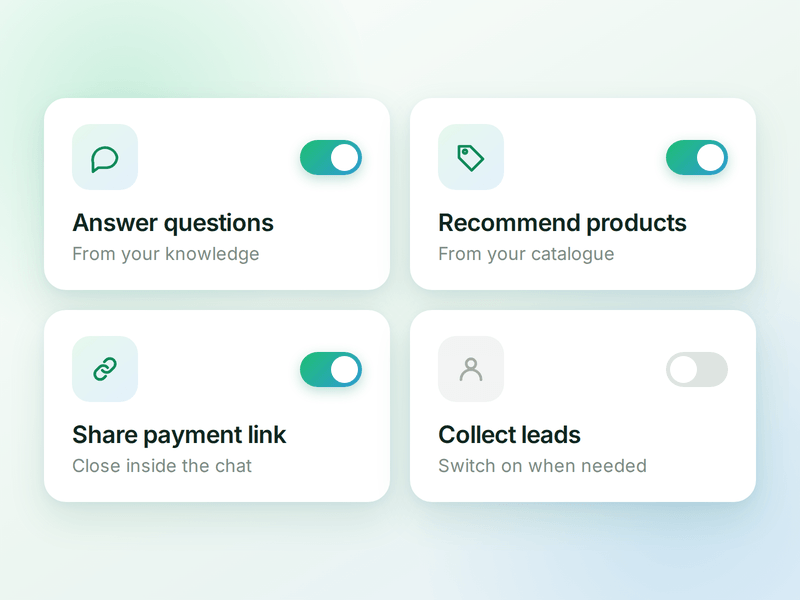
    term_3_skills.png

    Skills

    The jobs your agent can do. Switch on a ready-made skill or create your own, and the agent works out which one a conversation needs.

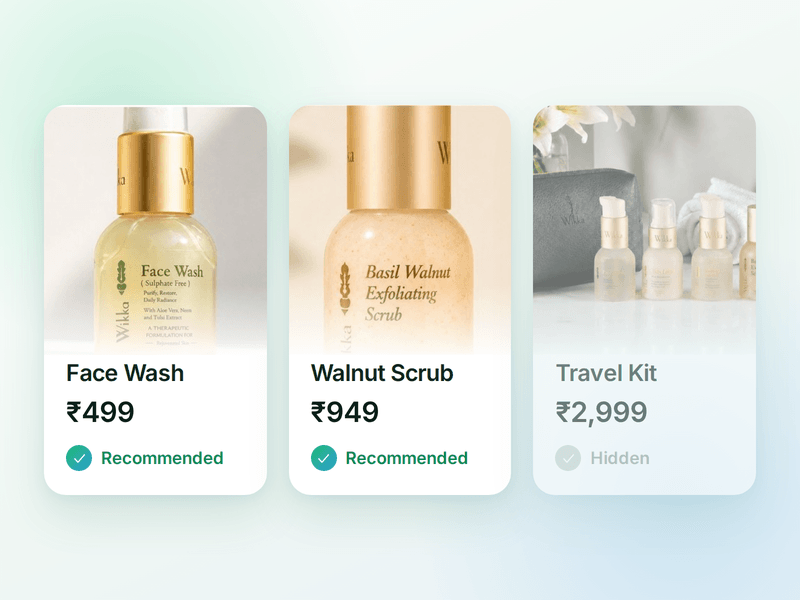
    term_4_products.png

    Products

    The catalogue your agent sells from. Sync your store or add items by hand, then pick which ones the agent is allowed to recommend.

    term_5_payments (1).png

    Payments

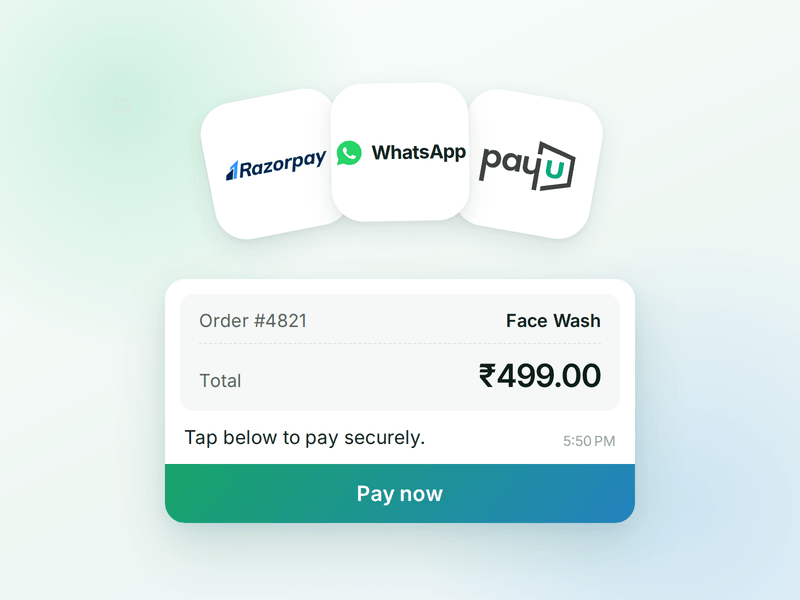
    Your checkout, inside the WhatsApp chat. Connect Razorpay or PayU & the agent can send a secure payment link the moment a customer decides.

    term_6_ai_messages (2).png

    AI Messages

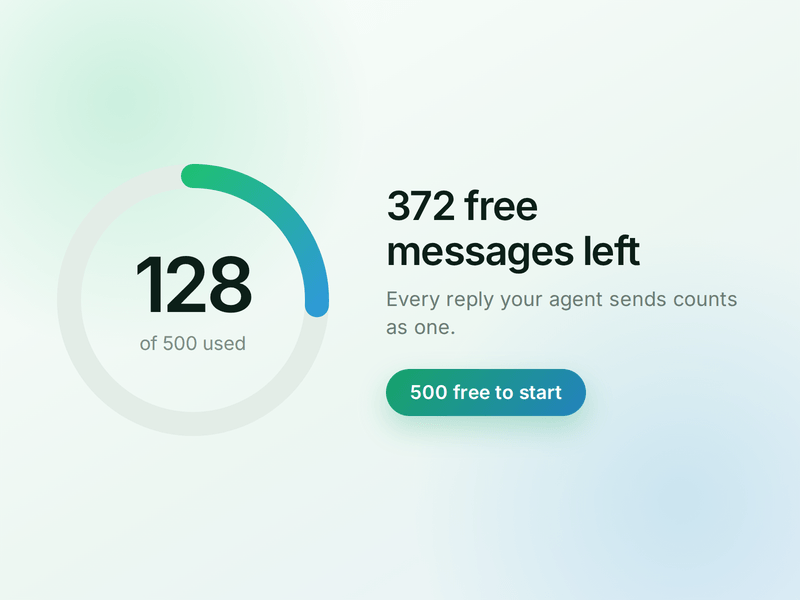
    Each reply sent by your AI Agent counts as one AI Message and is deducted from your active plan. You get 500 free AI Messages to test your agent before going live.

    How to Build Your WhatsApp Interview Screening AI Agent in AiSensy

    Here's how to build and launch your Interview Screening WhatsApp AI Agent with AiSensy.

    Sign up on AiSensy

    Go to the AiSensy Signup Page. Create your account using either:

    • Your Google account, or

    • Your business email address by filling out the sign-up form.

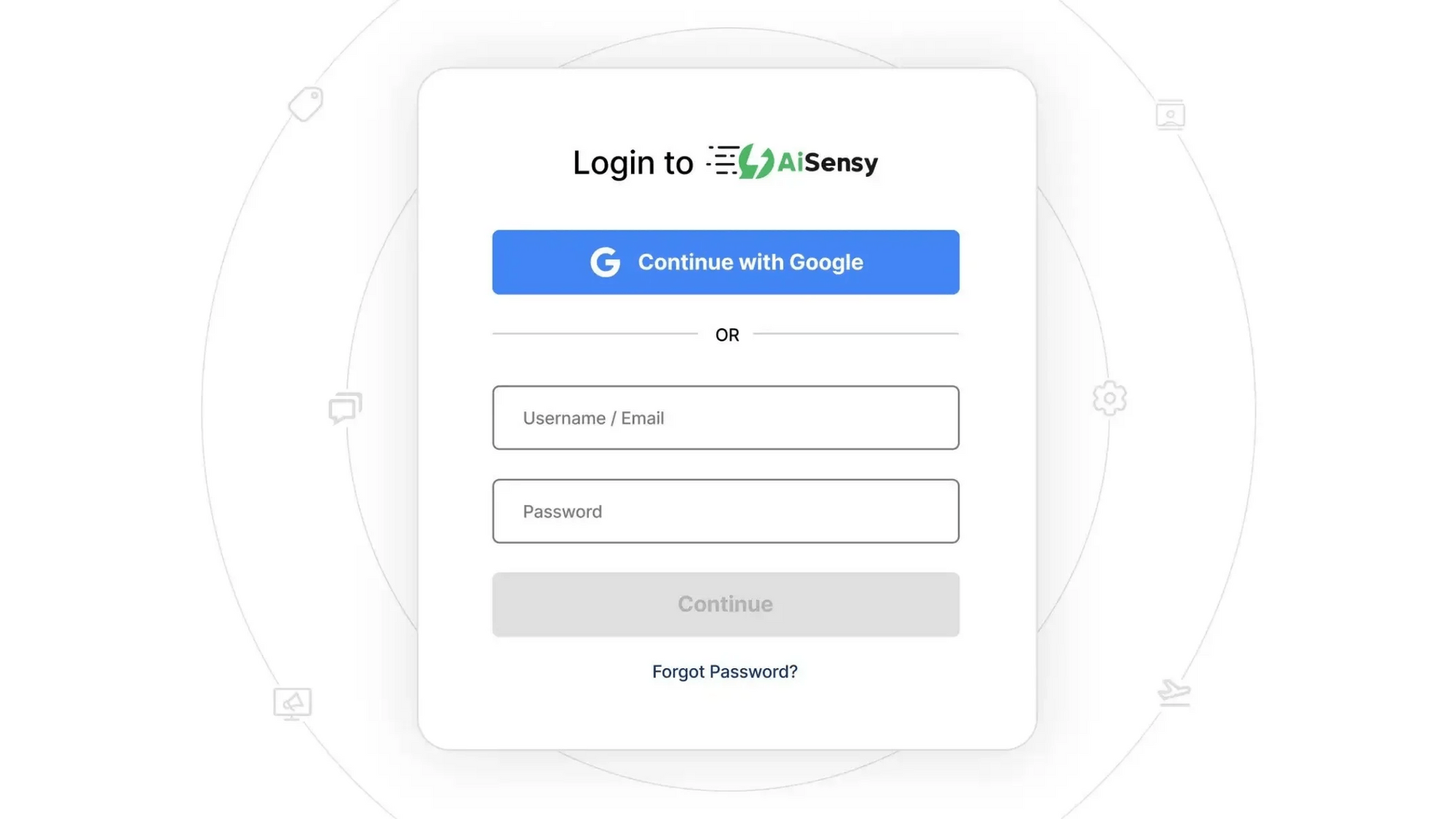
    Once signed up, Log in to AiSensy using the same Google account or email credentials.

    login1.png

    Build Your Agent from Your Website

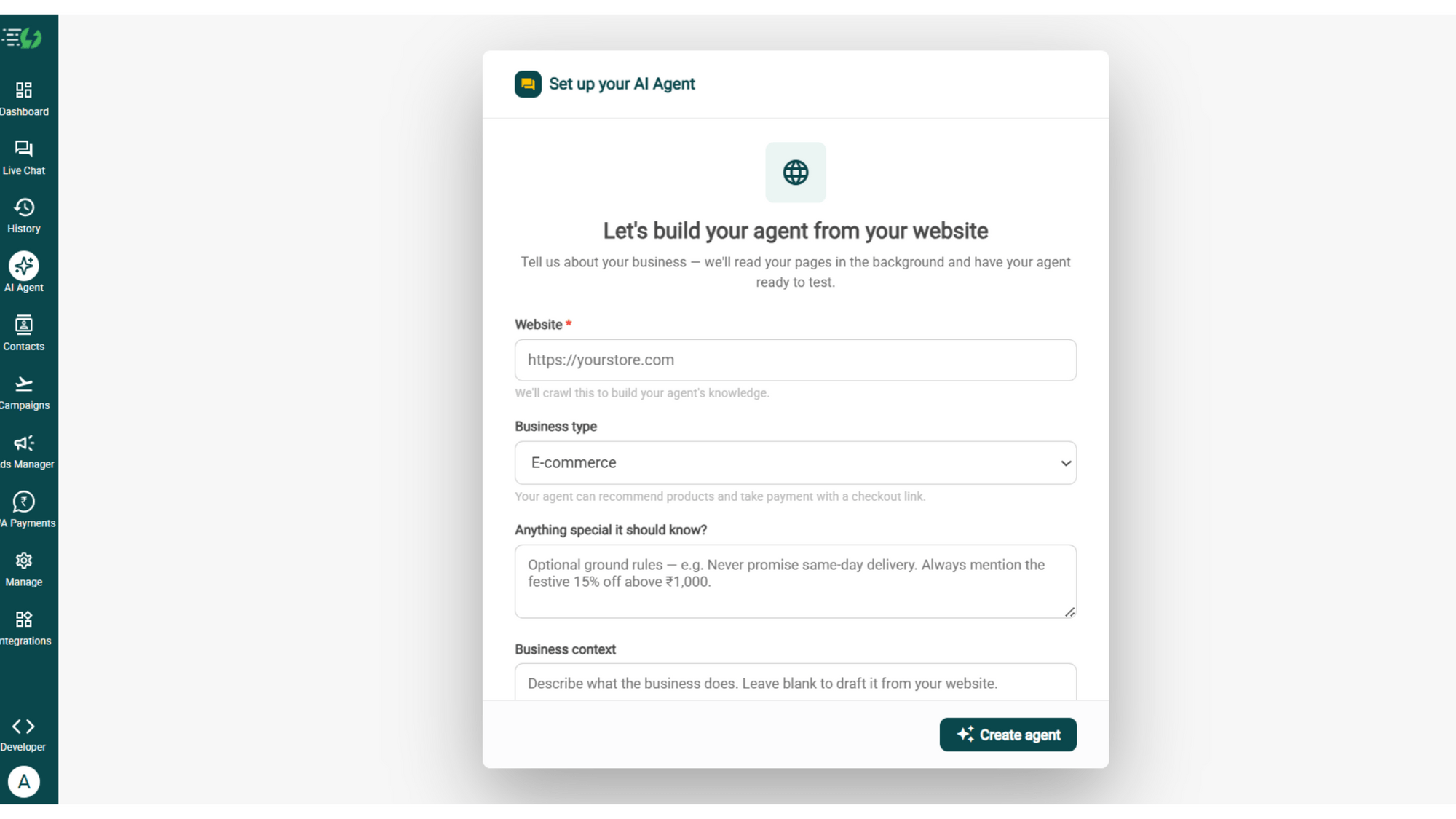
    Once you are logged in, navigate to and click on AI Agent available on the navbar on the left.

    Fill in the details given below:

    • Website (mandatory)

    • Business type

    • Anything special it should know? (optional)

    • Business context (optional)

    Once you fill these details correctly, proceed to hit '✨ Create agent' button. AiSensy automatically builds an agent trained on your business.

    image (4).png

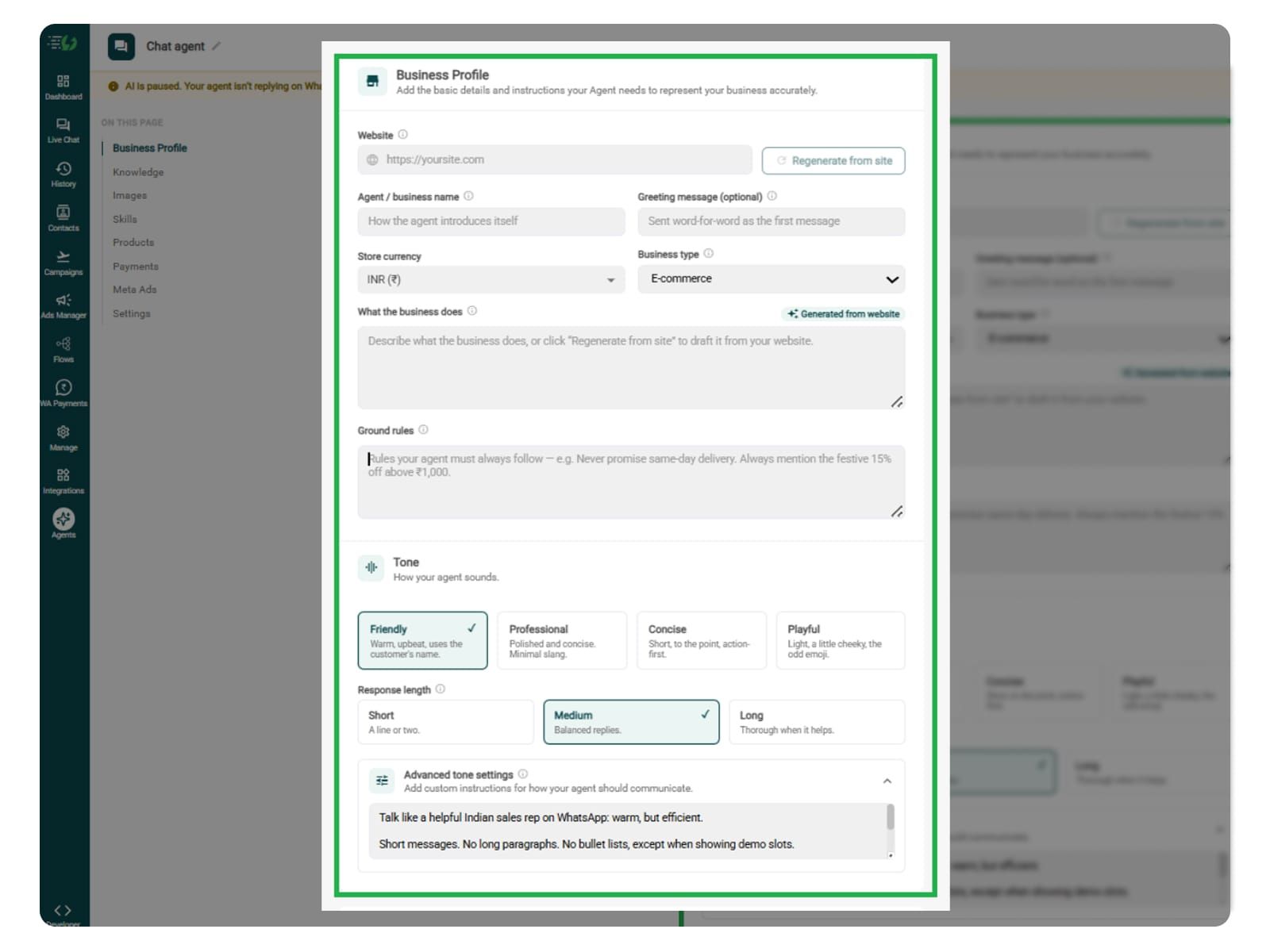
    Add Your Business Profile

    When you add your website, AiSensy AI engine auto-generates your business description. Set your agent's name, greeting, and a few ground rules it must always follow.

    Fill the details given below:

    • Website (fetched automatically)

    • Agent/business name

    • Greeting message (optional)

    • Store currency

    • Business type

    • What the business does

    • Ground rules

    Add business profile.jpg

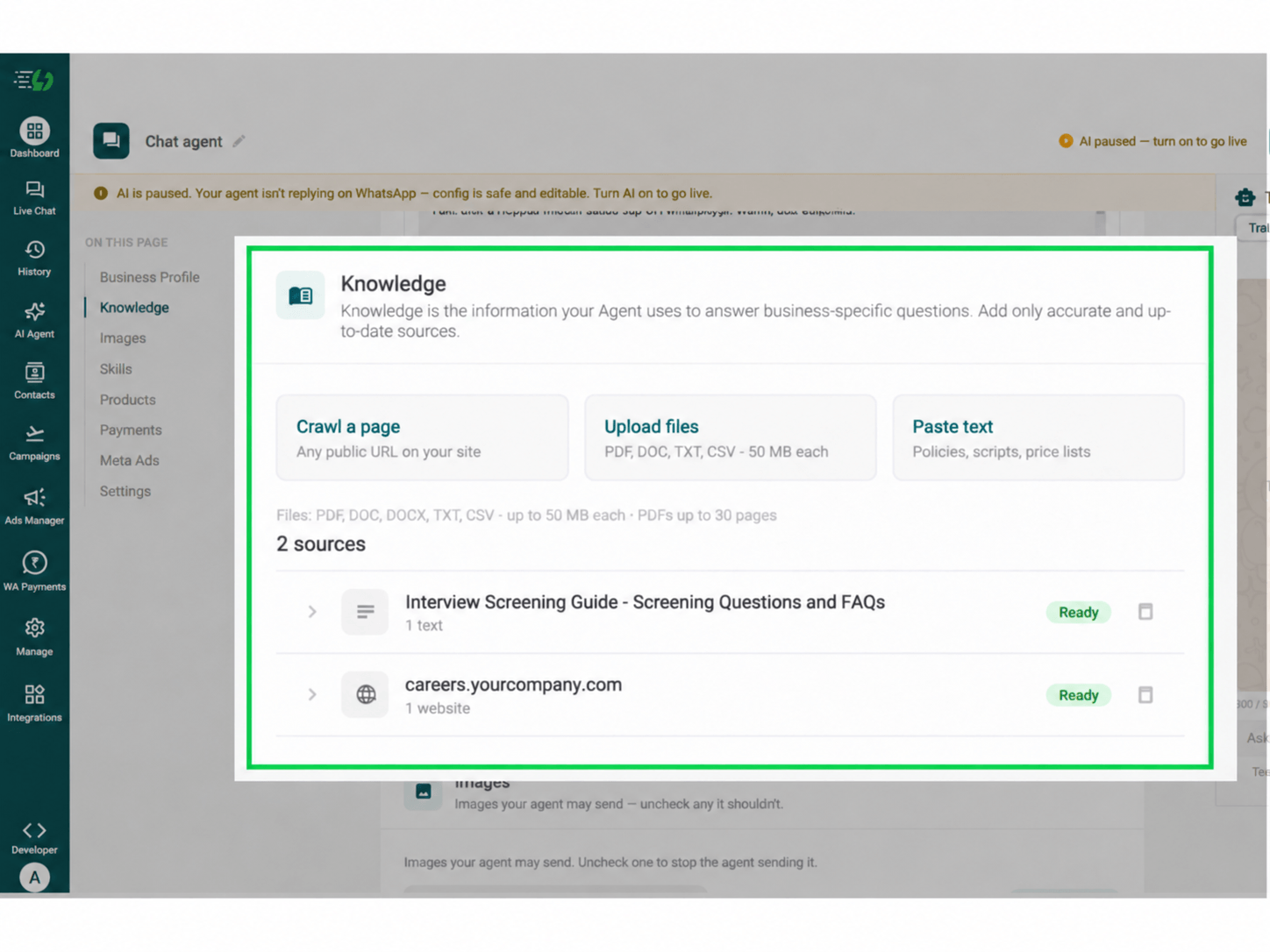
    Train the Agent with Your Knowledge

    In this step, train your agent on your company's recruitment process. Add information about job openings, required skills, qualifications, experience criteria, job responsibilities, and screening guidelines.

    You can provide this information through PDF, DOC, TXT, or CSV files. The AI Agent uses your uploaded knowledge to answer candidate enquiries and ask relevant screening questions based on your hiring requirements.

    Every source shows "Ready" once learned.

    Perform the below-mentioned steps:

    • Crawl a page (website URL)

    • Upload files (PDF, DOC, TXT, CSV, up to 50MB each)

    • Paste text (job descriptions, screening questions, hiring policies)

    For your reference, you can train your agent to answer questions about job roles, required qualifications, work experience, skills, salary ranges, work locations, notice periods, and recruitment procedures.

    Note: Keep job descriptions and screening criteria updated. Configure the agent to ask only job-relevant questions and avoid collecting unnecessary personal information.

    Interview Screening Knowledge Dashboard.png

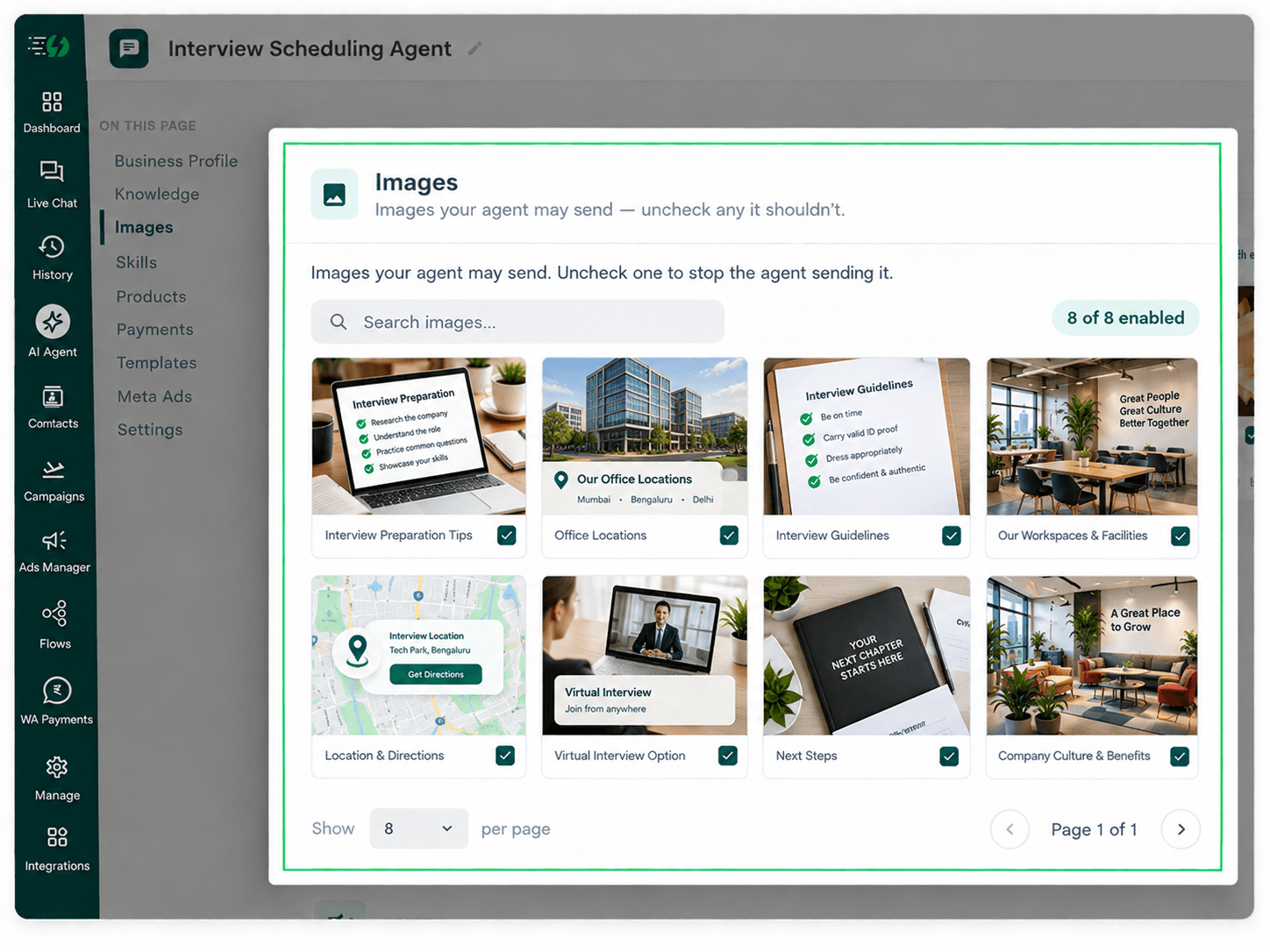
    Choose the Images It Can Share (Optional)

    This step is optional. You can add images related to job openings, company culture, workplace facilities, and recruitment guidelines to help candidates learn more about your organisation.

    When you add your website, the WhatsApp AI Agent automatically fetches images from it. You can review and control which visuals the agent can share during candidate conversations.

    Untick any image you don't want the agent to send.

    You can:

    • Create Image library (enable/disable per image)

    • Search images

    • Upload recruitment guidelines PDF for candidates

    interview scheduling.png

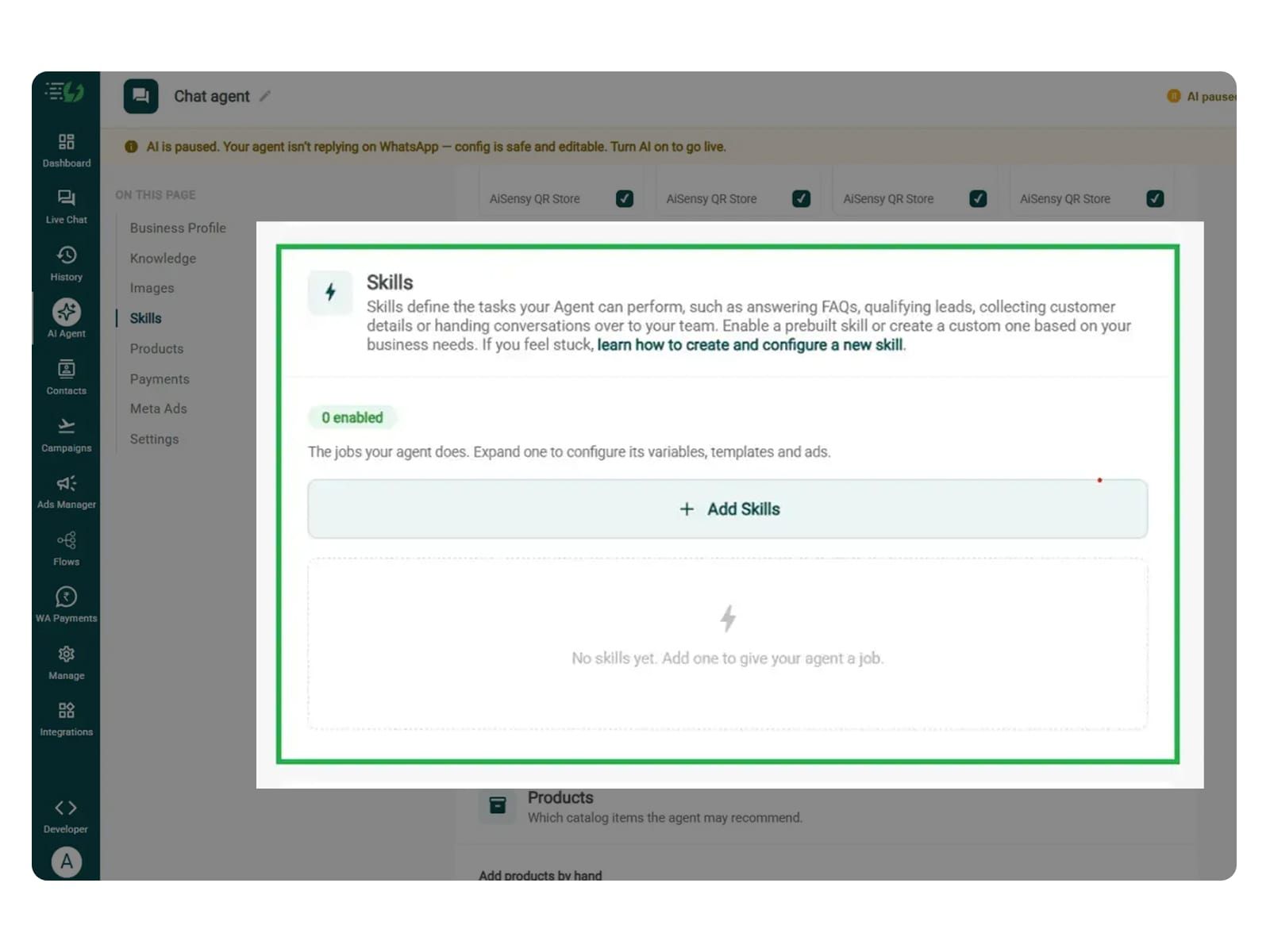
    Create the Interview Screening Skill

    In this step, open Add Skills and check the prebuilt skills list. If the required skill isn't available, click Create custom, name it Interview Screening, and select Task skill as the type.

    • What kind of skill is this? (Task skill)

    • Icon & name: Interview Screening

    • When should the agent use it?

    • Instructions

    • Add skills

    Make sure your instructions are clear and easy to understand. The agent follows these instructions to collect candidate details, ask screening questions, and organise responses for recruiter review.

    One such template is:

    “When a candidate expresses interest in a job, ask about their relevant experience, qualifications, skills, and notice period, one question at a time. Use the screening criteria provided for that role, record their answers, and prepare a summary for recruiter review. Never promise selection or reject candidates based on unsupported assumptions. Transfer complex enquiries to the HR team.”

    Once you enter these instructions, the agent uses your recruitment knowledge and screening criteria to handle candidate enquiries accordingly.

    For more information, learn how to create a custom skill

    add skills.jpg

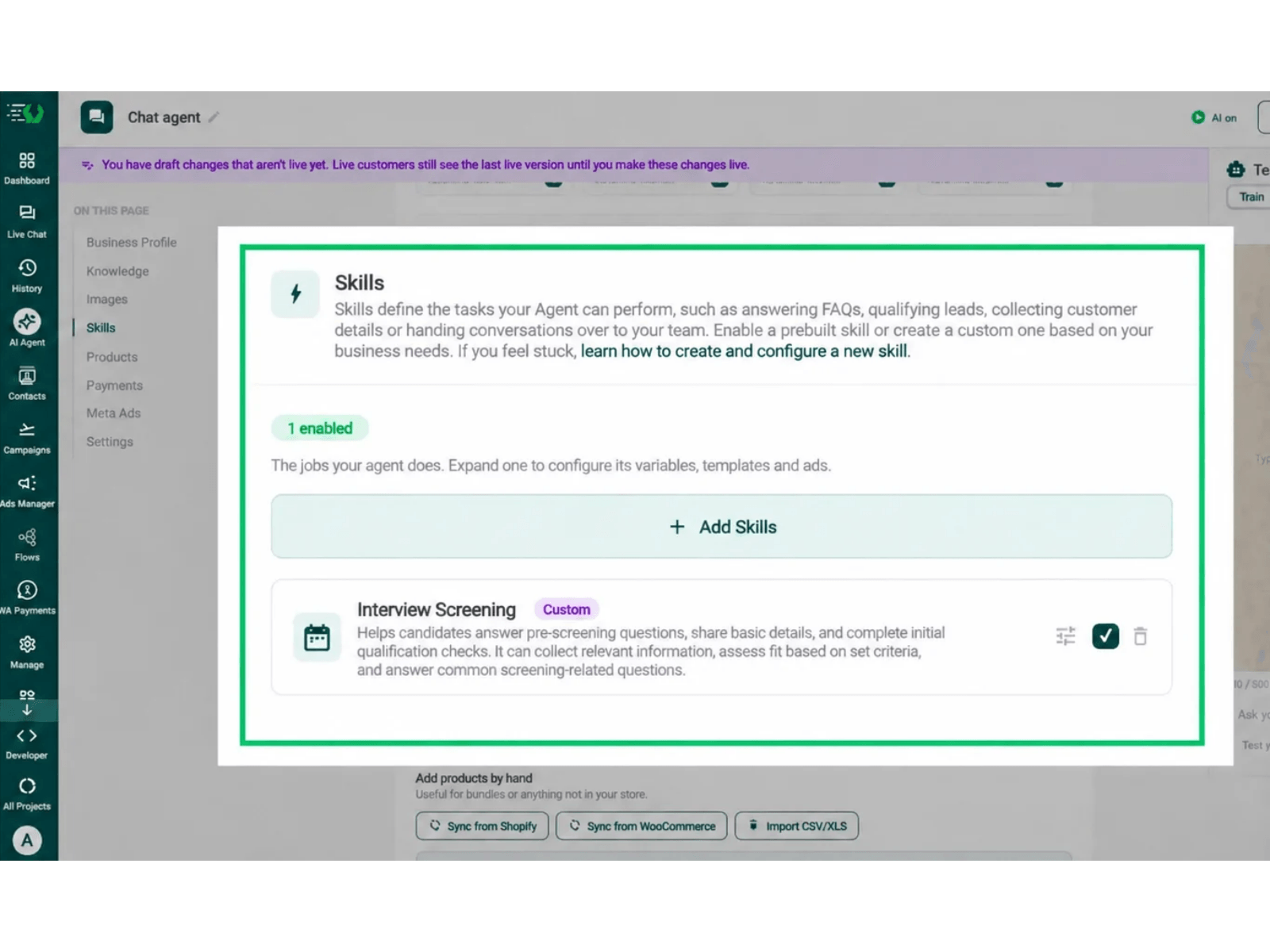
    Enable the Interview Screening Skill

    Once you've created the Interview Screening skill, it will appear in the Skills list. Switch it on, expand it to configure the required variables, templates, and ads, then click Done.

    All you have to go through is:

    • Skills list

    • Enable the Interview Screening skill

    • Expand to configure its variables, templates & ads

    • Skills enabled counter

    Your agent is now trained to collect candidate information, ask job-specific screening questions, and prepare screening responses for recruiters.

    Before enabling the skill, configure the Interview Screening skill to ask relevant questions, check responses against your job criteria, and forward candidate details for human review.

    screening dashboard.png

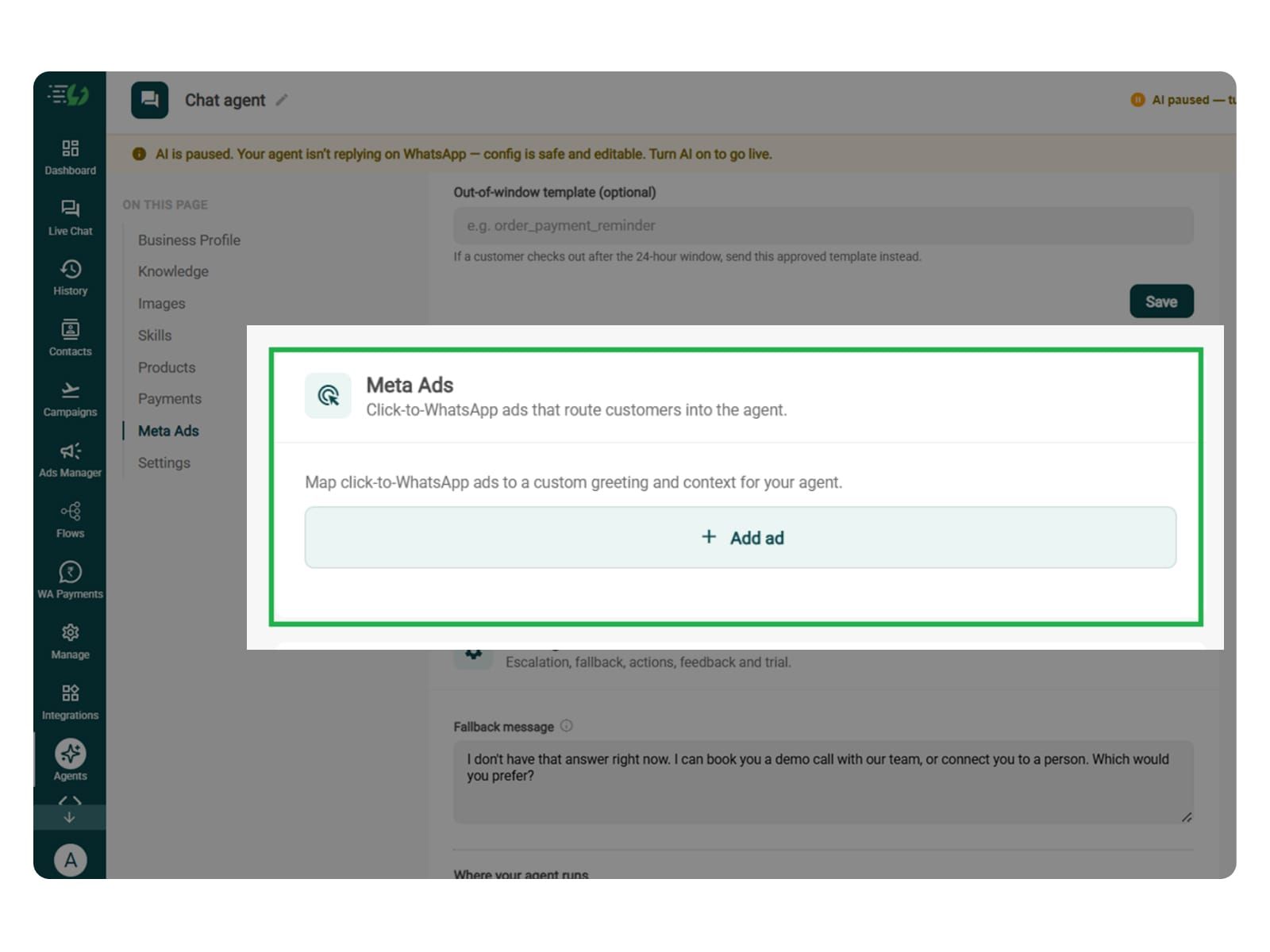
    Link Your Meta Ads (Optional)

    This step is useful if you're running Click-to-WhatsApp ads promoting job openings or recruitment drives. It helps your Interview Screening AI Agent understand which job role brought the candidate to WhatsApp.

    Are you running Click-to-WhatsApp ads?

    If yes, map each ad to a custom greeting and context. This allows the agent to identify the advertised position and ask screening questions relevant to that role.

    • Add ad (map ad → custom greeting & context)

    • Ad ID

    • Label

    • Greeting (first message to user)

    • Context (extra context for the agent)

    • Discount honoured at checkout (optional)

    • Products featured in this ad

    You can skip this step if candidates contact your recruitment team directly or you're not running Click-to-WhatsApp ads.

    Note* Discount and product fields are generic interface options and aren't normally relevant to interview screening. Don't configure them as screening requirements.

    meta ads.jpg

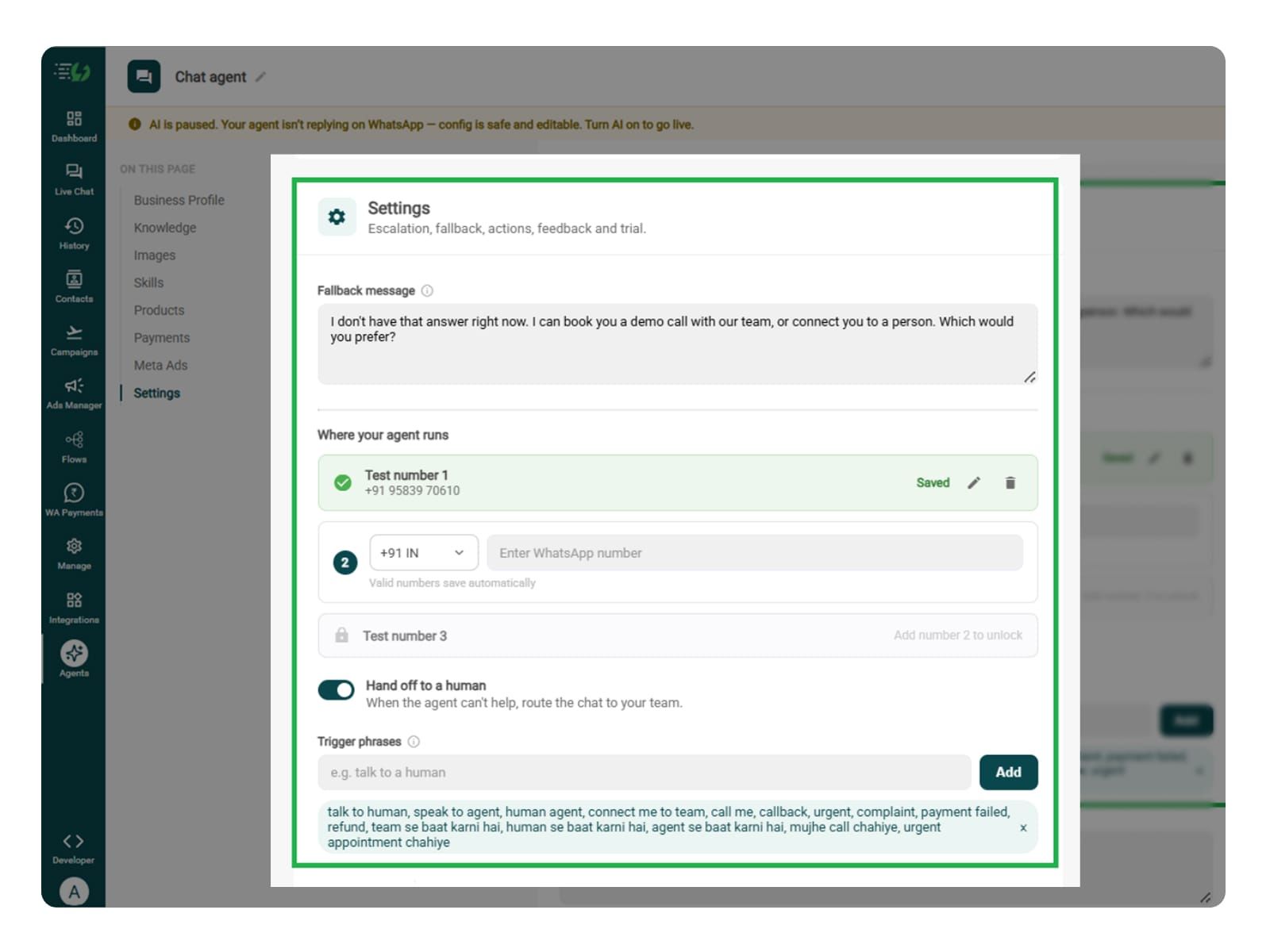
    Set Your Fallback & Handoff Rules

    You can set handoff triggers for candidates who have questions outside the knowledge base, face application issues, need special arrangements, or want to speak with a recruiter.

    Fallback message: Write a reply for when the agent cannot answer questions about job requirements, screening criteria, application details, or hiring procedures.

    Human handoff: Enable handoff for complex qualification questions, application errors, accessibility requests, disputed screening information, and requests to speak with HR.

    In this step, decide what happens when the agent cannot help. Write the fallback message, switch on Hand off to a human, and add phrases that should transfer the chat to your recruitment team.

    What you must fill:

    • Fallback message

    • Where your agent runs: up to 3 test numbers

    • Hand off to a human: toggle

    • Trigger phrases

    • Handoff message

    fallback.jpg

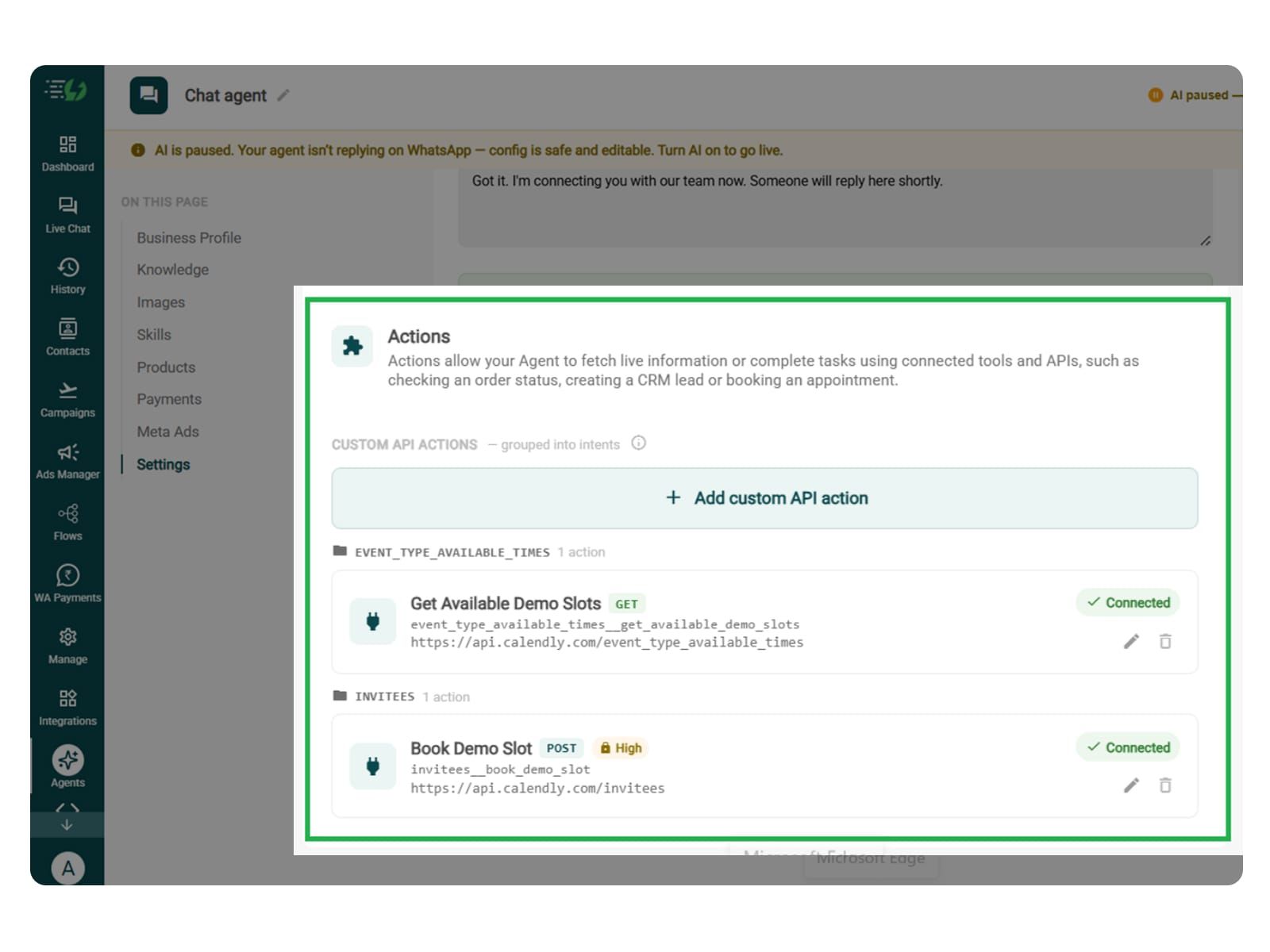
    Connect Tools & APIs

    This step is essential if you want your Interview Screening WhatsApp AI Agent to retrieve candidate details, check job requirements, and automatically update screening results in your recruitment system.

    Connect your Applicant Tracking System (ATS), recruitment CRM, or hiring platform through APIs. This allows the agent to access candidate records, verify job-specific screening criteria, save responses, and share screening results with your HR team.

    Click Add custom API action, specify when the agent should use it, and paste your cURL to automatically fill in the request details.

    • Action name

    • When should the agent call it?

    • Paste cURL

    • Request: method + endpoint URL

    • Headers

    • Params

    • Body

    • Auth

    • Test call

    Click Next: variables to continue.

    Note* Connecting your recruitment system is required for automated candidate data retrieval and screening updates. Make sure the agent records accurate responses and leaves final hiring decisions to your recruitment team.

    Actions.jpg

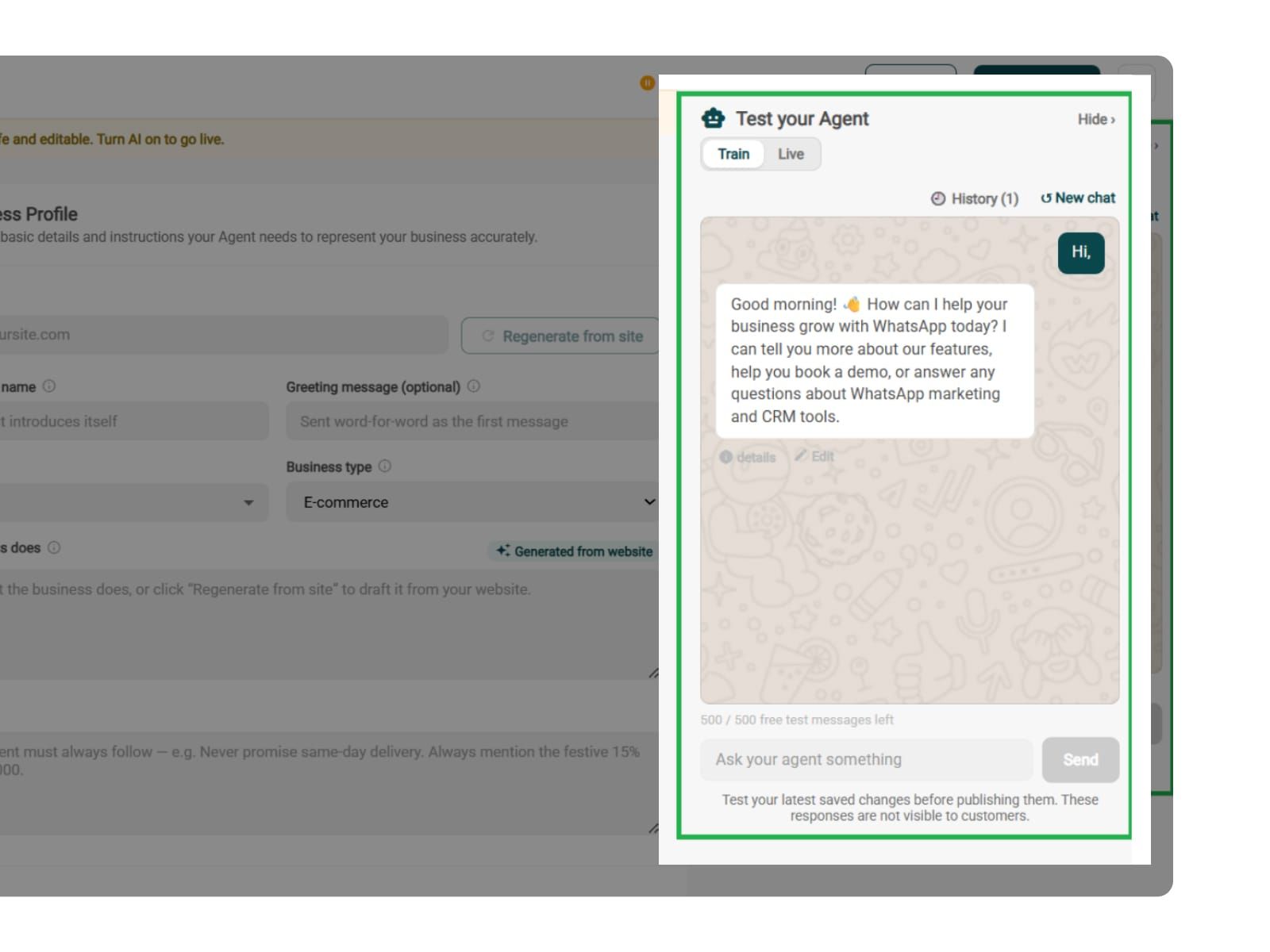
    Test, Publish & Go Live

    Before your AiSensy-powered Interview Screening WhatsApp AI Agent goes live, make sure to test it.

    You can test how the agent handles candidate enquiries, job-specific screening questions, qualification checks, incomplete answers, and human handoffs.

    Make sure the agent doesn't invent job requirements, ask inappropriate personal questions, promise interview selection, or reject applicants based on unverified information.

    You can chat with your agent before candidates do with AiSensy's 500 free AI messages for testing.

    Publish, switch the AI on & you're live.

    • Test your Agent panel (Train/Live modes)

    • Publish

    • AI on/off toggle

    test.jpg

    Simple Pricing. Every Agent Included.

    One plan unlocks the entire library - deploy any AI Agent, or build your own.

    ₹1,350

    Per Month (includes 1000 AI messages)

    Start for Free

    $50

    Per Month, Billed Annually (includes 1000 AI messages)

    Start for Free

    WhatsApp AI Agent Features

    Access every pre-built AI Agent in this library, plus the no-code builder to create your own - trained on your business and live on WhatsApp in minutes.

    • 1000 AI messages every month

    • 500 FREE AI messages for testing

    • Knowledge Base Q&A - train it on your website & documents

    • Long-term customer memory

    • No-code builder to customize any agent

    • Tool calling, skills & API integrations

    FAQ

    Frequently asked questions answered

    What does the Interview Screening WhatsApp AI Agent do?

    The Interview Screening WhatsApp AI Agent helps recruiters screen job applicants automatically. It asks relevant questions, collects candidate details, checks job requirements, and shares screening responses with your HR team.

    How does the agent screen job candidates?

    The agent asks candidates about their qualifications, work experience, skills, and notice period. It compares their answers with your predefined job requirements and prepares the information for recruiter review.

    What information does the AI Agent collect from candidates?

    It can collect details such as educational qualifications, previous work experience, relevant skills, current location, expected salary, and availability to join, depending on your hiring requirements.

    Is it possible to screen candidates for different job roles?

    Yes. You can train the agent on multiple job descriptions and screening criteria. It asks role-specific questions based on the position a candidate is interested in.

    How does the AI Agent help recruiters save time?

    The agent handles repetitive screening questions and collects candidate information automatically on WhatsApp. This reduces manual follow-ups and lets recruiters focus on reviewing applicants and conducting interviews.

    Does the Interview Screening AI Agent integrate with recruitment software?

    Yes. You can connect your Applicant Tracking System (ATS) or recruitment CRM through Tools & APIs. This allows the agent to retrieve candidate records, save screening responses, and update your hiring system.

    What happens after a candidate completes the screening?

    The agent organises the candidate's answers and shares them with your recruitment team or connected ATS. Recruiters can then review the responses and decide the next steps in the hiring process.

    Will the AI Agent work with Click-to-WhatsApp recruitment ads?

    Yes. You can connect Click-to-WhatsApp ads promoting specific job openings. The agent identifies which position brought the candidate to WhatsApp and asks relevant screening questions.

    When does the AI Agent transfer a conversation to a recruiter?

    You can enable human handoff for complex candidate enquiries, unclear qualifications, application issues, or requests to speak with HR. The agent transfers the conversation with the collected details.

    How much does the Interview Screening WhatsApp AI Agent cost?

    AiSensy's AI Agent plan starts at ₹1,350 per month for 1,000 AI messages. It includes access to prebuilt agents and the no-code builder, allowing you to create an Interview Screening AI Agent. Check the latest AiSensy pricing for current plan details.